

Introduction
If you’ve ever used Duolingo to learn a language, you’ve probably noticed progress bars everywhere. They track your daily streak, lesson completion, even XP goals. And here’s the thing: they actually work. Even though Duolingo has tons of them, each one gives players a clear sense of “where I am” and “what’s next.”
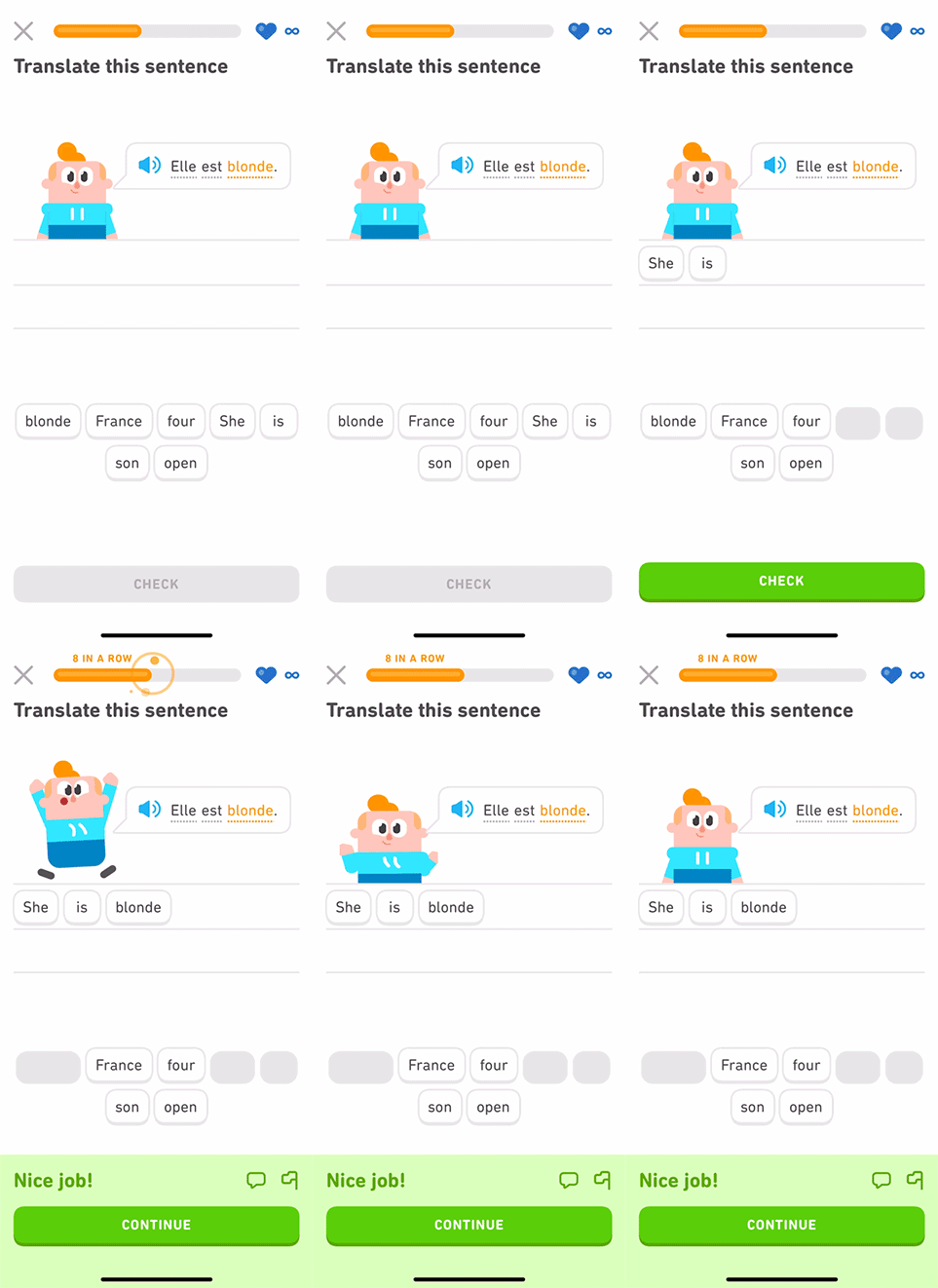
Duolingo streak progress bars
Now, when we talk about Kids Games & Game-Based Learning (GBL) experiences, this kind of feedback is even more important. Kids are quick to get distracted. If they don’t know what they’re working toward—or whether they’re getting closer—they’ll lose motivation fast. And when the goal isn’t naturally visible, progress bars step in to provide clarity.
How Progress Bars Work (and Why They Motivate Us)
Game Designer Jane McGonigal says in her book (Reality Is Broken – 2011) that all games share four things: a goal, rules, a feedback system, and voluntary participation.
A progress bar sits squarely in the feedback system. It tells players:
- How close they are to the goal
- How well they’re doing
- Why they should keep going
Why does this matter so much? Because humans — and kids in particular — are wired to respond to visible progress.
The Psychology Behind Progress Bars
- Goal Gradient Effect: People work harder the closer they feel to a goal (first described by psychologist Clark Hull). That’s why the last 10% of a progress bar feels extra motivating.
- Anticipation: Watching the bar slowly fill builds tension and excitement. Kids think: “Almost there! Just one more round!”
- Completion Satisfaction: The moment a bar hits 100%, the brain releases a small hit of dopamine. It’s the same “ahhh” feeling as checking something off a to-do list.
- Loss Aversion: Some progress bars reset if you don’t maintain them (like Duolingo streaks). That fear of losing progress motivates players to keep showing up.
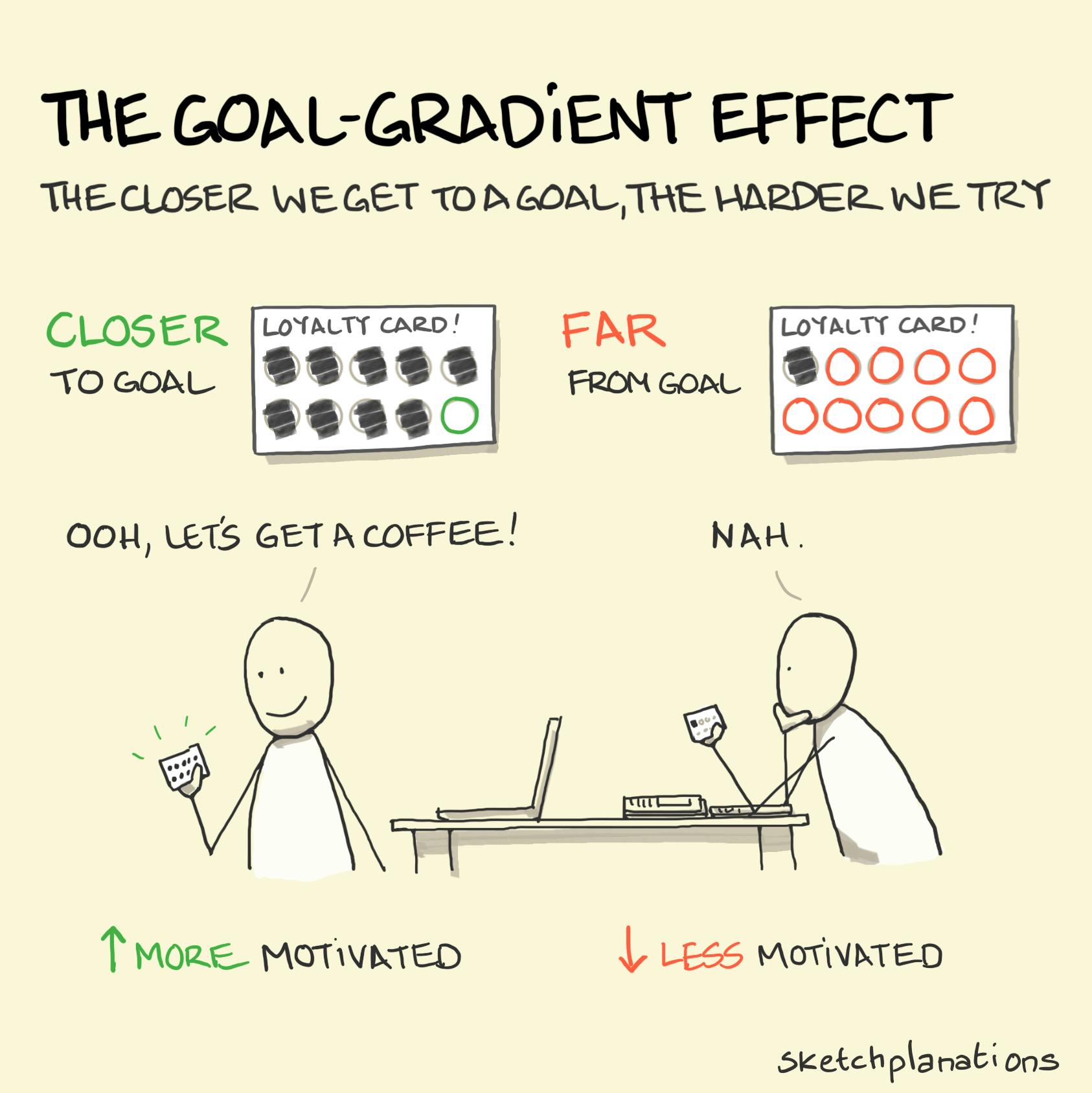
Goal Gradient Effect – Illustration by @sketchplanations
Why This Matters for Kids’ Learning Games
Kids often struggle with repetitive tasks or long-term goals because they’re more abstract. A progress bar turns an invisible goal (“get better at exponents”) into something concrete and visible. They can literally see their effort paying off.
One example would be one of my early games, Adventures of Digi, where the player are assessed of their exponents skills, I implemented the progress bar into the story: a glowing magical pattern that filled up as they solve each problem, and this was actually one of the unique moments the kids enjoyed in the game.
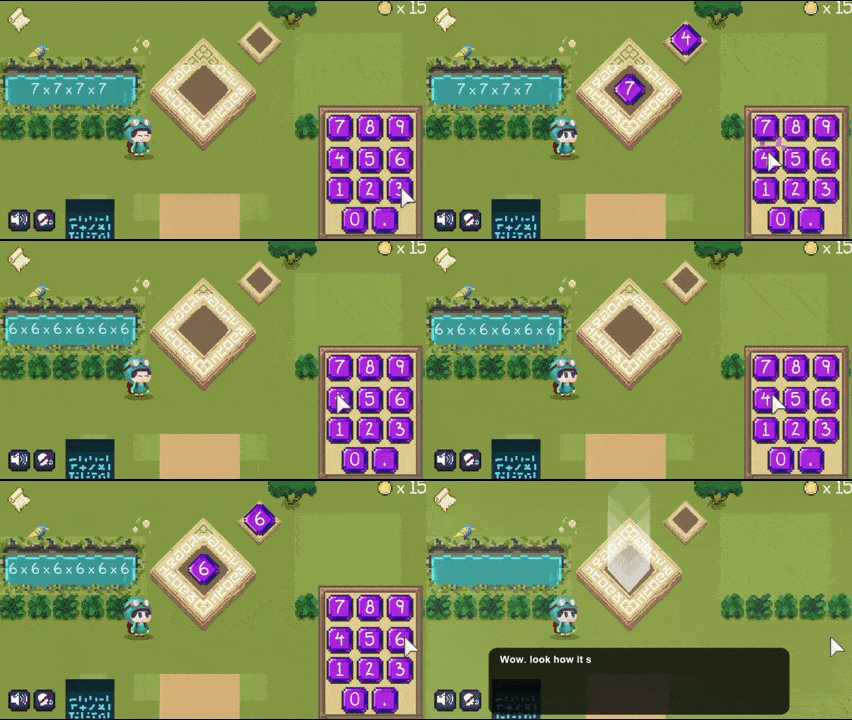
Adventures of Digi, Exponent Temple (playable at Legends of Learning)
Or think about brushing teeth: it’s boring. But when you add a progress indicator (like in Brushing Hero where kids wear a hero’s helmet and attack the monsters by brushing their teeth), suddenly the task becomes fun — and finishing feels like a win.
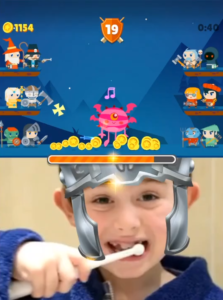
Brushing Hero game
Key Design Principles for Progress Bars
Even though progress bars are simple, they deserve thoughtful design—especially for kids. Here are some principles to keep in mind:
1. Clarity & Simplicity
Kids should immediately understand what the bar is measuring. A cluttered or ambiguous progress bar can confuse more than help.
Tips:
- Use simple shapes (straight lines, circles, or clear icons).
- Add labels or icons so kids know what they’re progressing toward when needed (“Next Level,” “Word Mastery,” “Badge Unlock”).
- Link the kids performance directly to the progress bar, kids should know why and when the progress is being filled (Similar to Candy Crush, Splash Learn does that in some of their activities, releasing a star that jumps into the bar).

Splash Learn (left) Candy Crush (right)
2. Visual Style & Emotion
Kids respond emotionally to colors, animations, and metaphors. A dull gray bar won’t motivate them, but a lively, interactive one will.
Tips:
- Use bright, high-contrast colors that kids can recognize.
- Animate the bar filling (wiggles, shines, or bursts with confetti at completion)
- Use metaphors (a rocket fueling up, a garden blooming, a star twinkling).
Example:
One of the apps that I love visiting , is Sago Mini School: they knows how animations are made and they went further making the progress even more playful, with a lovely star character animations as you progress in the lesson’s mini games.
That makes the progress bar feel delightful, not just functional.
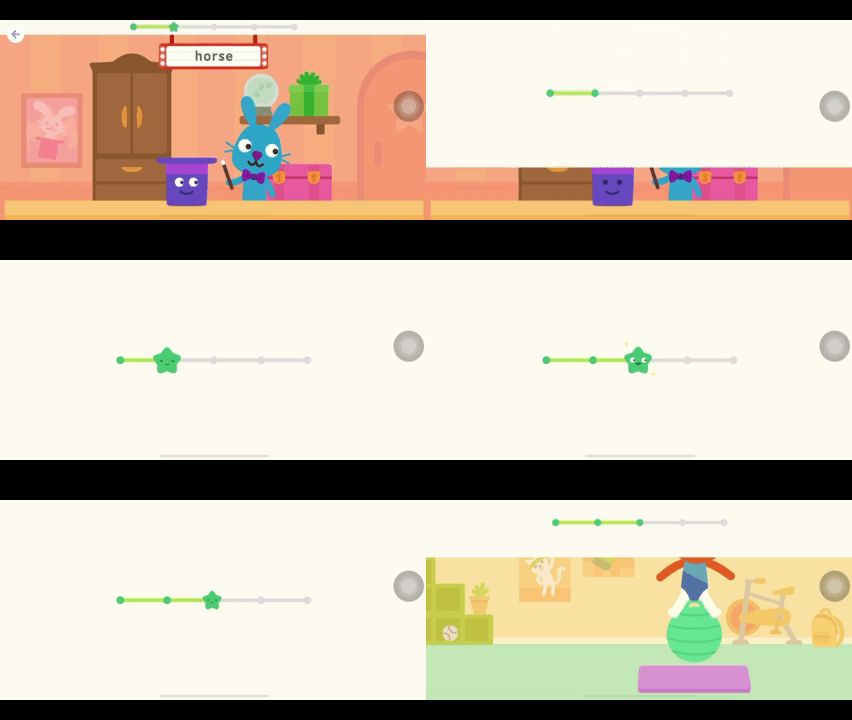
Sago Mini School – Progress Bar animation
3. Keep It Age-Appropriate
What works for a 6-year-old may not work for a 12-year-old.
- For young kids (3–6)
- Use obvious metaphors (like brushing a monster’s teeth in Brushing Hero).
- For middle school kids (7–12)
- Tie progress to story narrative or missions (like in Kahoot! Submarine Squad, The kids use knowledge and collaboration to escape the hungry fish and protect their submarine).
- For teens
- Minimalist, achievement-based indicators (like Duolingo streaks) may feel more motivating.
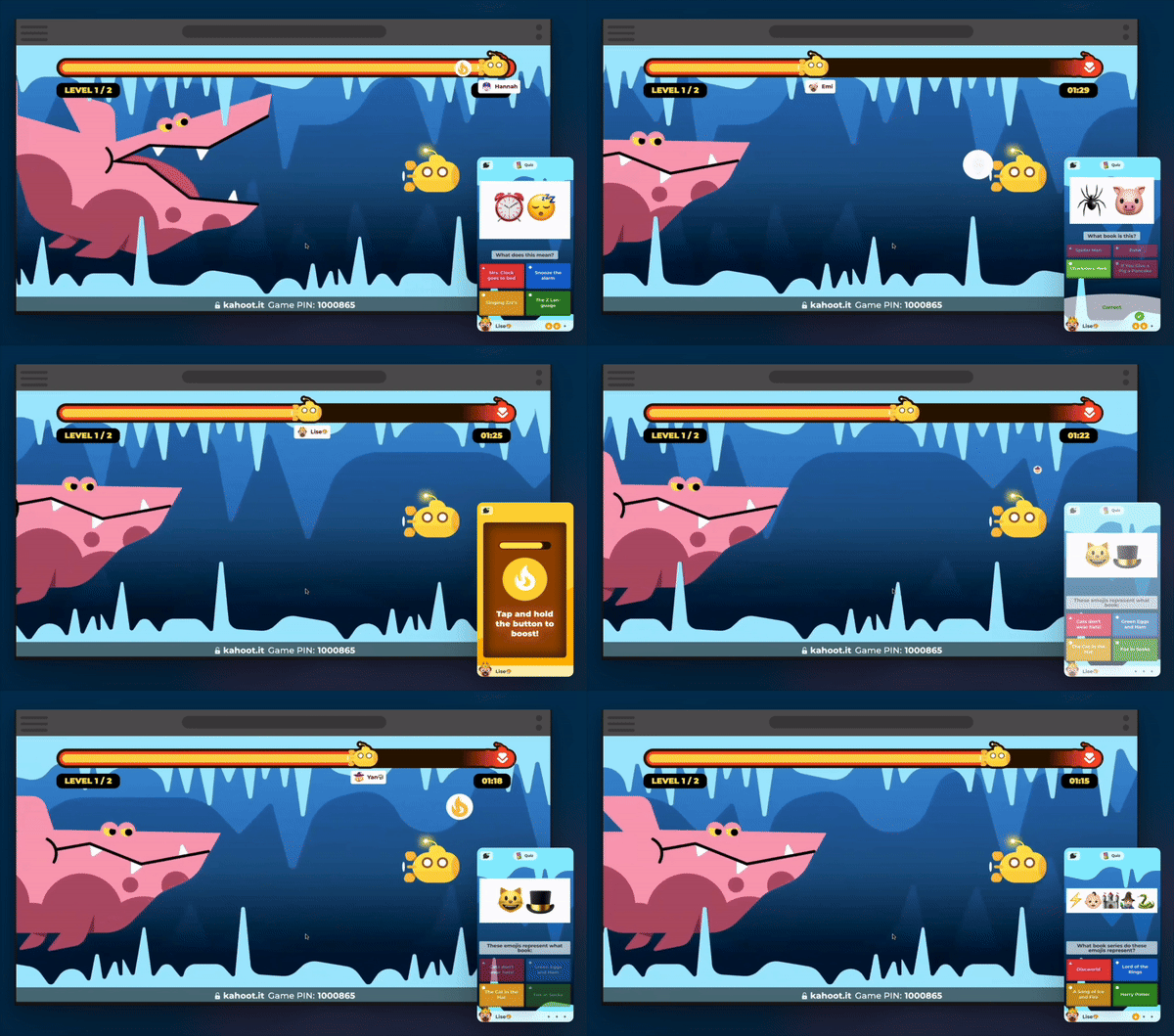
Kahoot! Submarine Squad – Players’ Progress linked to story and narrative.
4. Reward & Payoff at Completion
When the progress bar fills up, something should happen that makes the effort worth it. Without a satisfying payoff, kids can lose interest quickly — it’s like reaching the end of a race and finding no finish line.
Tips:
- Tangible rewards: Unlock a new level, badge, or character.
- Emotional rewards: Fun animations, confetti, cheering sounds, or a character praise.
- Learning rewards: Reveal new content, a story continuation, or even a “you mastered this skill” certificate.
Example:
Duolingo often surprises you with new very polished celebratory animations. I mean, just look at this animation below. I’d be playing for hours to watch these juicy jumps again.
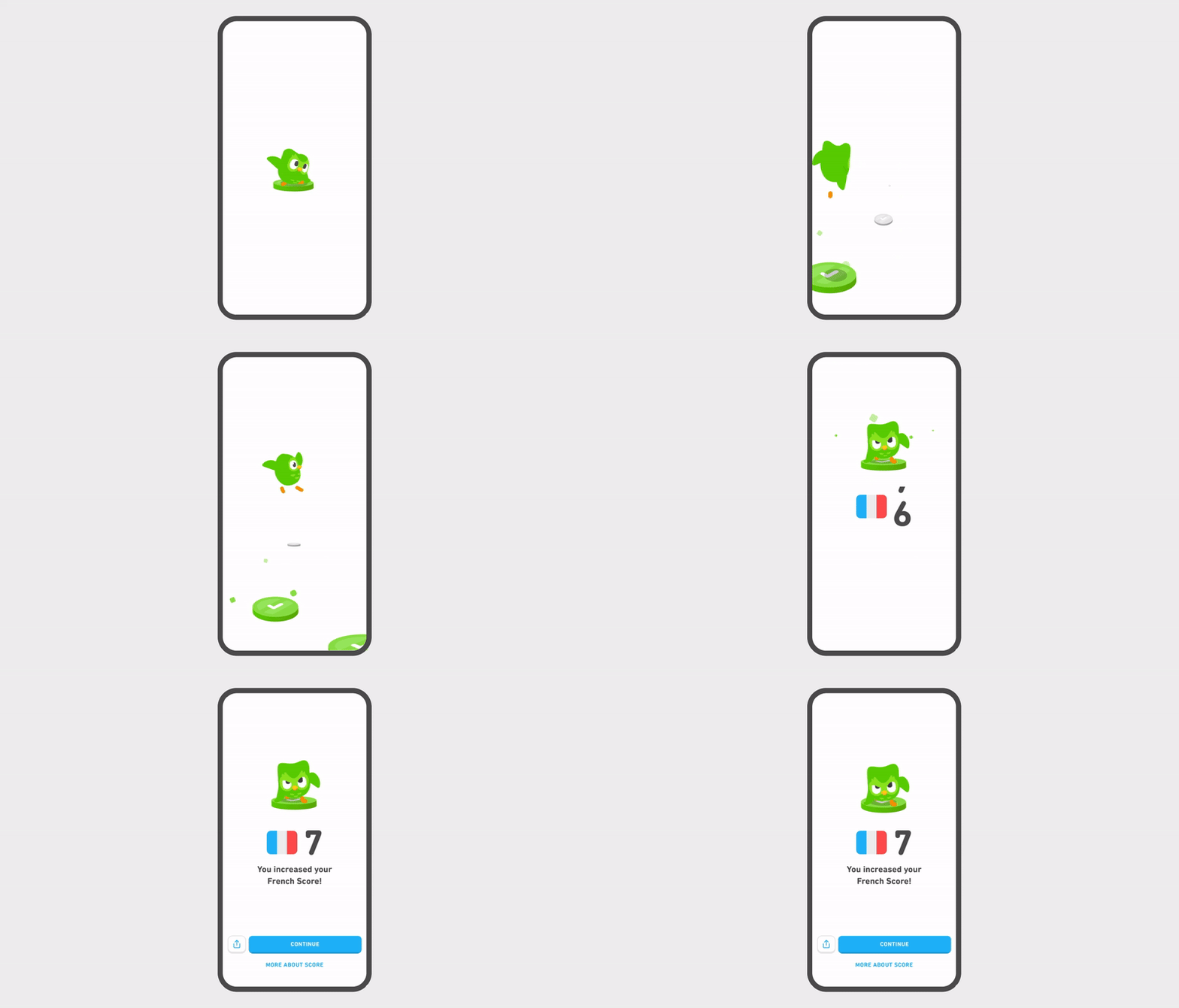
Duolingo – Emotional Reward (Animations)
6. Orientation & Transition
Progress bars can be used as narrative or activity guides. Instead of just saying “you’re 40% done”. They can show where you are in a journey, lesson, or multi-step task. This helps kids understand the structure of an activity and reduces anxiety about “what’s next.”
How to do it right:
- Use segmented bars (like steps in a check list) showing the path ahead.
- Add clear labels/icons for each step (e.g. a meal making activity can be starting with deciding what to make, creating grocery list, shopping for ingredients, preparing food, cooking, and finally serving the finished meal)
- Pair with playful animations during loading screens, so kids feel like they’re already progressing instead of just waiting.
Example:
in Lamsa Kitchen (Lamsa Kids app): Instead of a traditional bar, the character jumps between stations as kids complete each task — turning progress into part of the story.
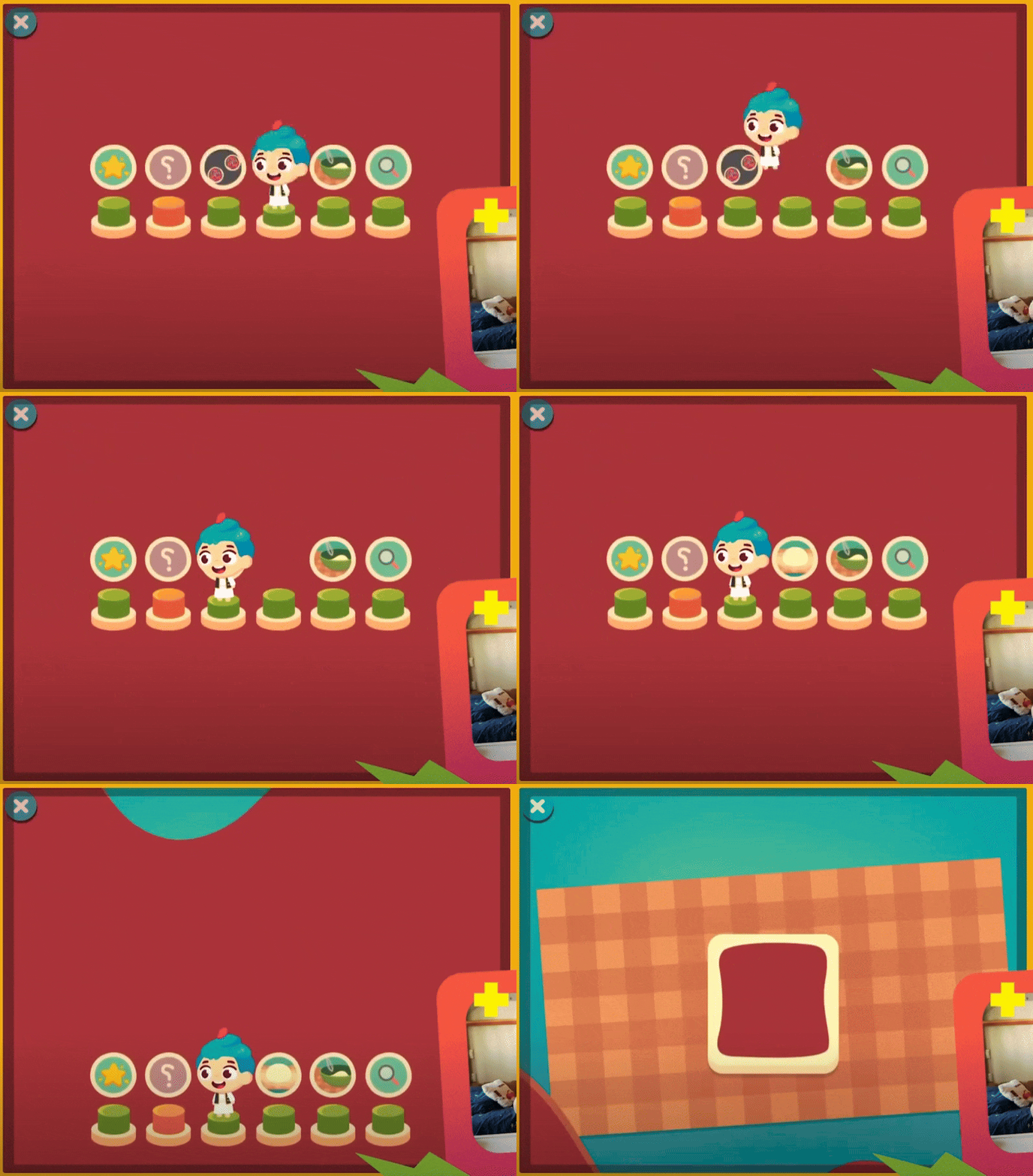
Lamsa Kitchen from Lamsa kids (Transition progress bar)
When Progress Bars Go Wrong
Of course, not all progress bars help. Some actually hurt the experience:
- Fake/Meaningless milestones: Progress should reflect meaningful milestone. Fake bars that don’t connect to actual progress (kids notice when it doesn’t mean anything). For example, tracking “time spent” instead of “skills learned, levels completed, badges unlocked” just encourages kids to idle.
- Cluttered visuals: Overly busy bars with too many icons or animations can overwhelm younger kids. A progress bar should be simple, bold, and instantly readable and doesn’t blend with background.
- Style inconsistency: If the bar’s colors, shapes, or animations style don’t match the rest of the game style, kids can get confused.
- Too slow to fill: If it takes forever to see movement, kids lose patience. Micro-progress (like tiny steps, chunks, or milestones) helps maintain momentum.
- Too fast or trivial: On the flip side, if it fills instantly with little effort, it feels cheap and unearned — and kids will eventually stop valuing it.
When You Don’t Need a Progress Bar
Progress bars are great tools, but here’s the thing: not every activity needs one. Sometimes the feedback is already baked into the interaction.
For example:
- In a planting game, the growing animation of the plant might be enough feedback.
- In a character caring game, the act of washing, feeding, or dressing up your character often shows progress on its own—no extra bar needed.
In these cases, slapping on a progress bar might feel redundant, or even distracting. Kids are already motivated by the natural, visual feedback built into the activity.
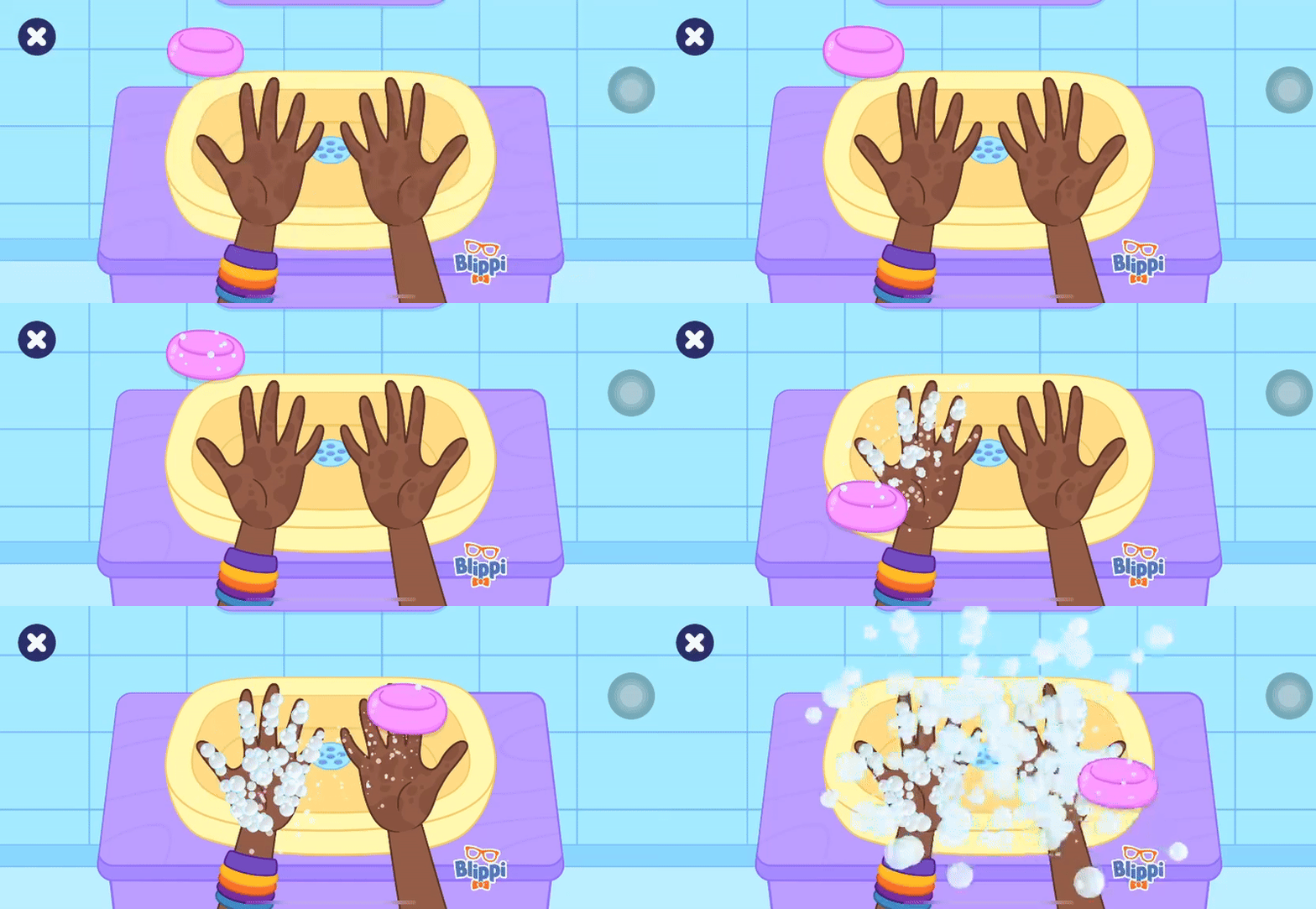
Blippi and Meekah’s Daily Routine from Lingokids app
Wrapping Up
Progress bars may seem like small details, but in educational games they can be game-changers. Done right, they give kids the clarity and motivation they need to stay engaged and push through challenges.
So next time we design a learning experience, let’s ask:
- Do we really need a progress bar here?
- if yes, does it clearly reflect a meaningful progress toward the learning objective?
- And finally, is it fun enough to make kids want to keep going?
Thank you!